
 KitchenHand
Applies to: the current MarketSquare platform — mymst.app. Not applicable to the legacy V2 platform (beta.intrac.app).
 On your computer the web back office ·
 In the app phone, tablet or scale device
👉 Tap this press it in the app · Exact label look for this wording on screen
What this does
A photo of the finished product — or a thirty-second video of a technique people get wrong — removes the guesswork and keeps quality consistent across every shift.  KitchenHand takes media on the recipe itself and on individual steps, and staff see it on the kitchen iPad as they work.
Where this happens: you upload media on a computer; staff view it in the app.
Add a photo to the recipe On your computer
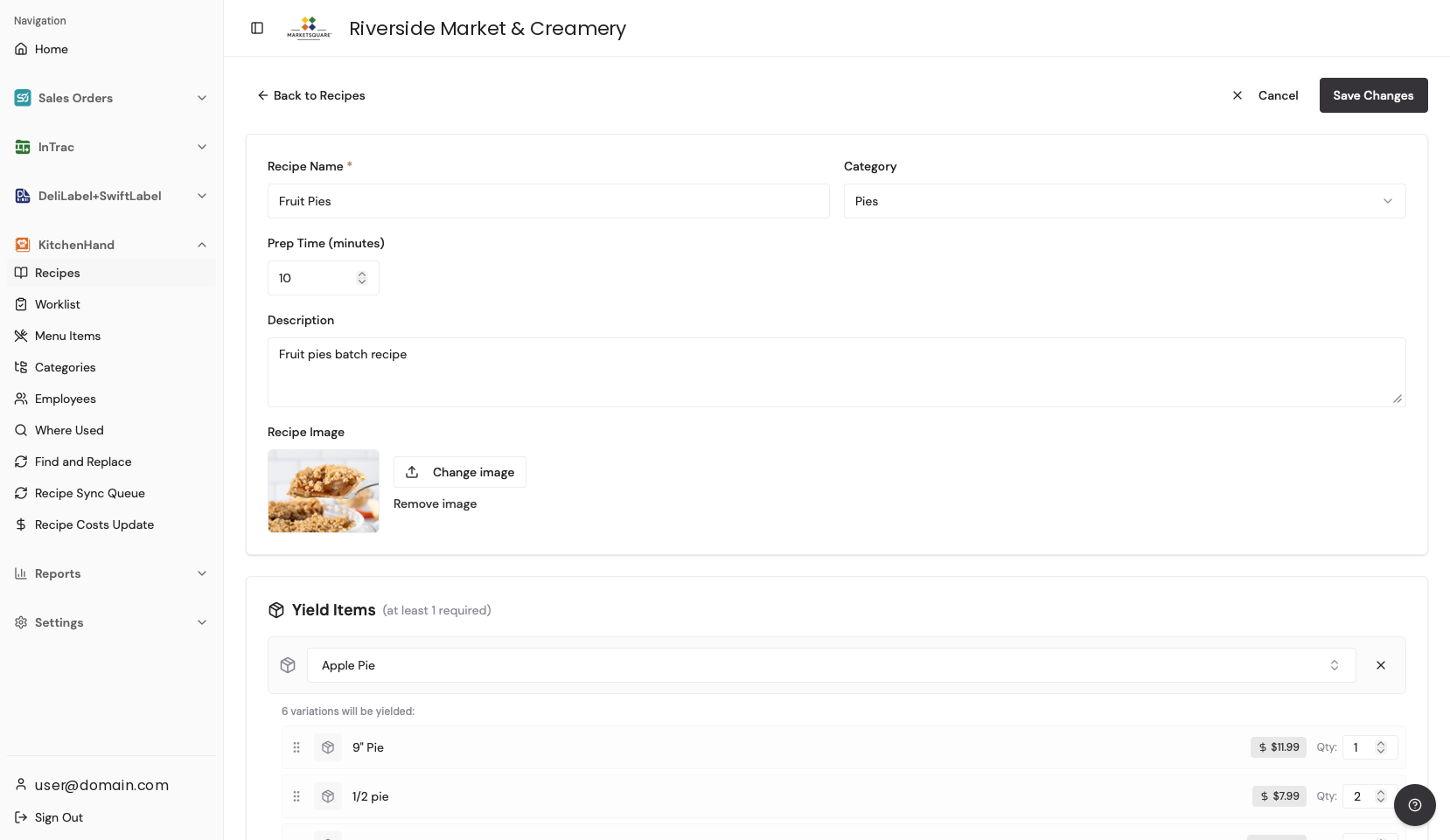
In the recipe editor, upload a photo of the finished product. This becomes the thumbnail staff see in the recipe list and on worklist tasks — make it the ‘this is what done looks like’ shot.
Attach photos or video to a step On your computer
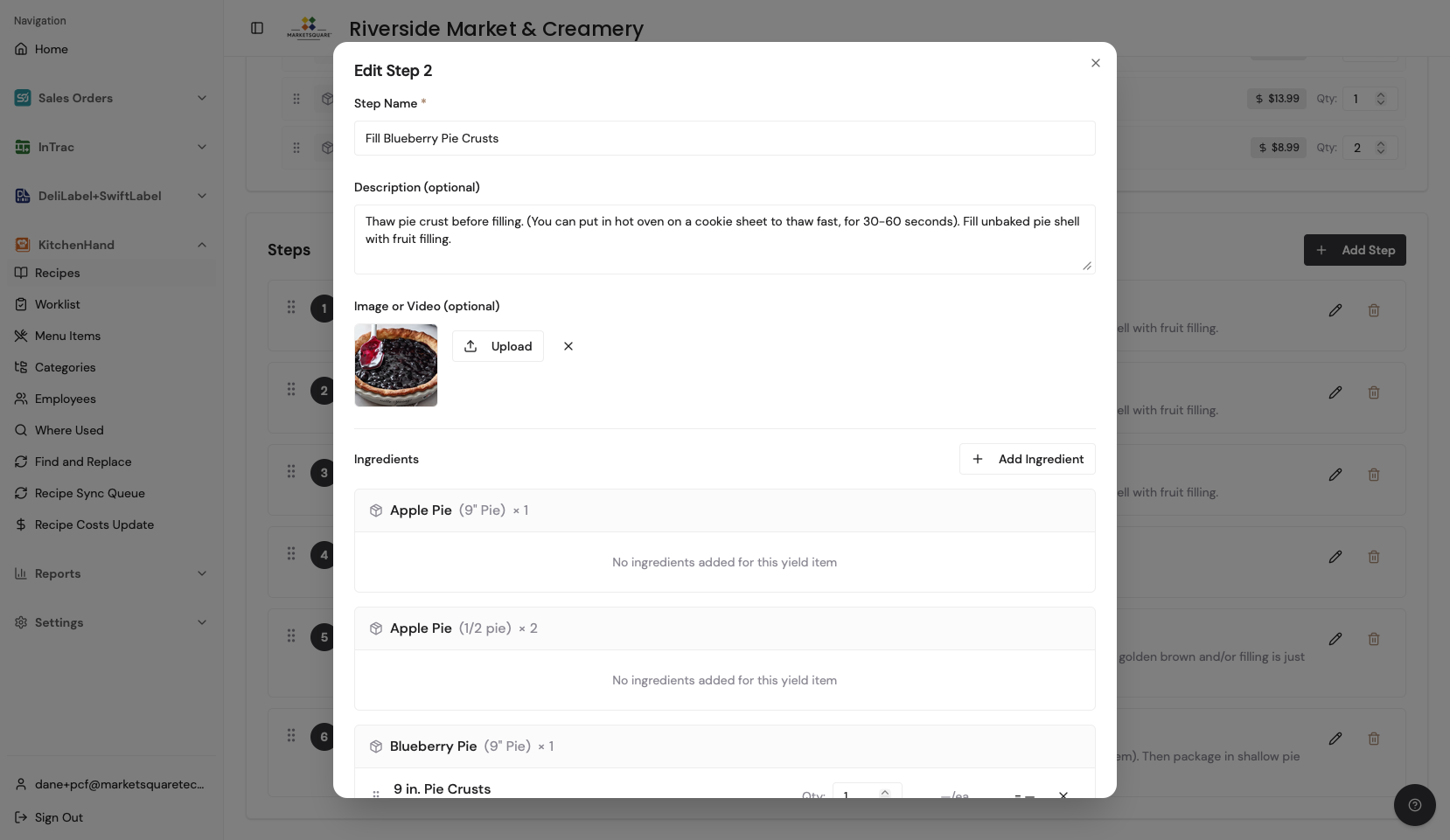
Open the step where a visual helps — dough consistency, plating, a slicing technique — and attach a photo or short clip to that step. Keep clips short and single-purpose: one technique per clip.
What staff see on the iPad In the app
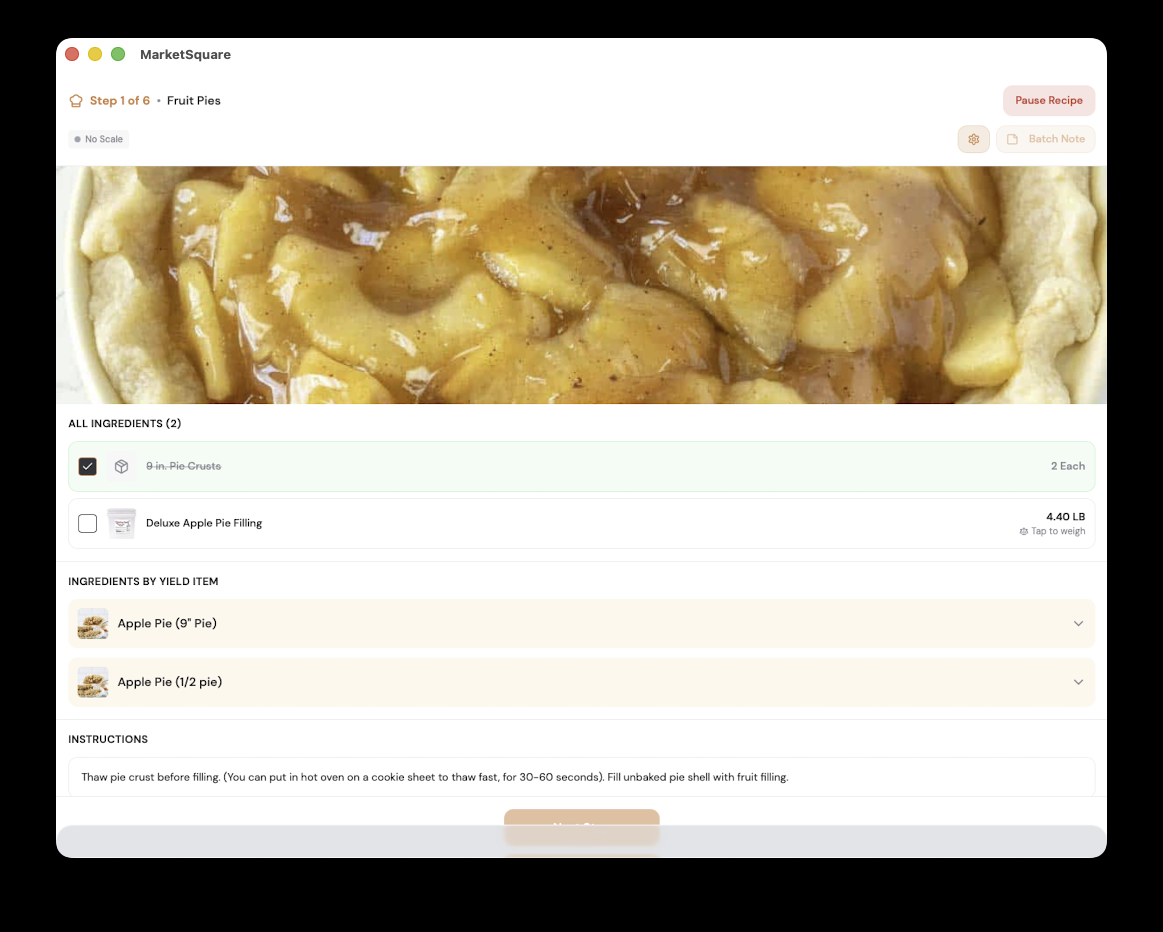
As staff walk through the recipe, the media for each step appears with the instructions. New hires can effectively train themselves on your standard items.
Common questions
What file types work?
Standard photo formats and common phone video formats. Long videos are best trimmed to the essential seconds before uploading.
Will photos slow down the kitchen devices?
Media loads as staff reach the step, so day-to-day browsing stays fast.
Can I change a photo later?
Yes — swap the media on a step at any time and the change appears on all devices at the next sync.