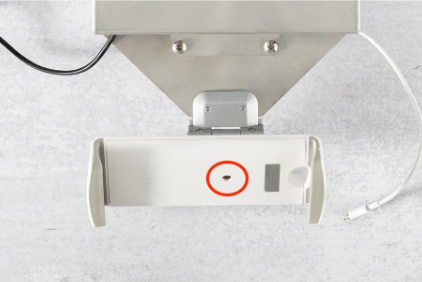
Overview
The Deli Counter Mounting Kit provides a convenient way to consolidate and hide the cables required to power DeliLabel hardware, as well as a stand for the tablet that runs the application.
It includes:
- The counter mounting kit w/ standard tablet mount
- Extension cable to power hardware
- Large tablet mount
Setup
-
Using a Phillips head screwdriver, remove the 2 screws shown in the image
below.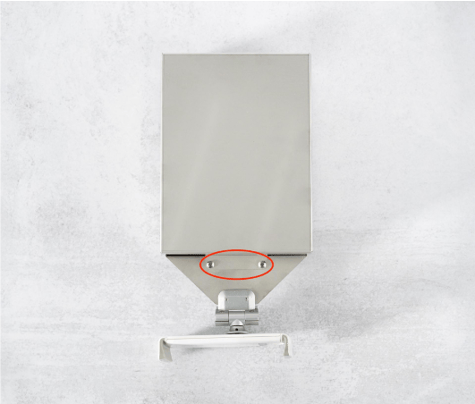
-
Lift the lid slightly and slide it toward the back of the unit to disengage the lid
tabs, then remove the lid completely. The lid tabs are pictured below.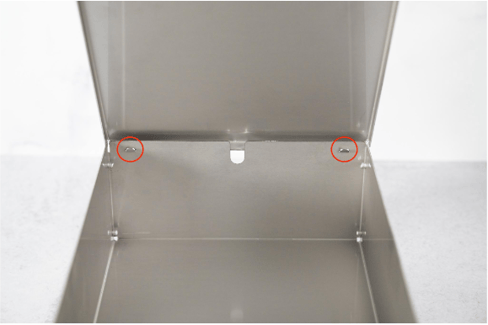
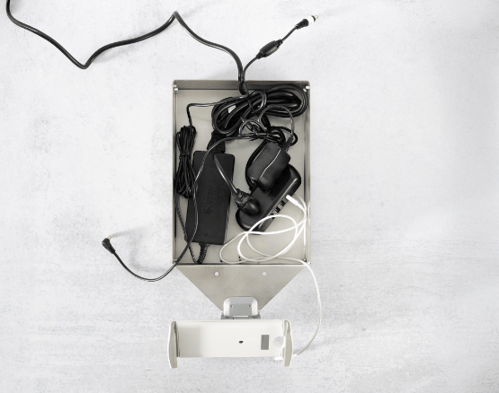
- Remove the extension cable from the body. Connect the printer, scale, and tablet
power cords to the extension cable. Run the cables out of the slot in the rear or in
the front towards the sides.- Tip: Test the power connections before closing everything up to make sure that the ports on the extension cable are working.
- Tip: Use zip ties, rubber bands, or a similar fastener to keep the cables organized in the body.
- Tip: Run the printer power cable out of the slot in the rear so that it is close to where the port will be on the printer.
- Tip: Run the tablet charger out of the front so that it is near the tablet.
- Reattach the lid by first hooking the lid tabs into the back of the body, then
carefully laying the lid down. Be sure that no cables are caught between the lid
and the body. Fasten the screws to keep the lid in place.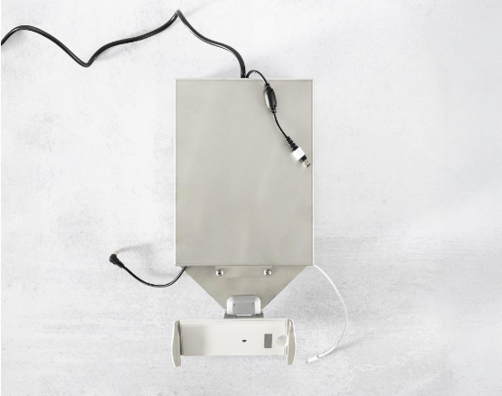
-
Plug the hardware in and position it as desired.
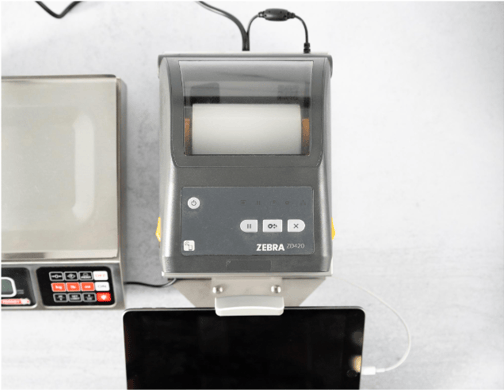
Changing to the Large Tablet Mount
The kit comes with a standard tablet mount attached. If you are using a large tablet, you
can swap them by loosening the screw in the center of the mount and then attaching the
larger mount.