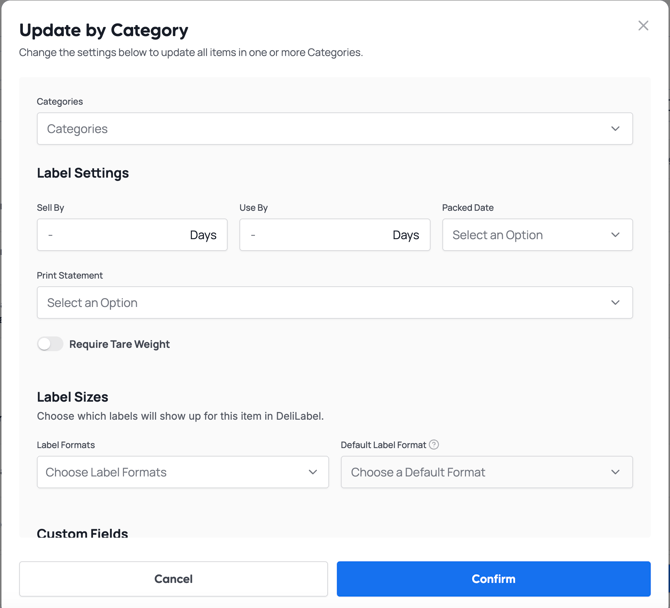
To simplify editing your label preferences, we provide a way to update your items by the categories you have them listed under in Square.
Simply log into MarketSquareTech.app, go to the sidebar to the left and click  .
.
This will take you to the item catalog where you can find the  button. Click this and you will be able to edit entire categories at once.
You can edit the following items:
- Default Label Format
- Tare Weight Required
- Print Statement
- Sell By Days
- Use By Days
- Packed On Date