
 InTrac
 InTrac watches every invoice so cost creep never quietly eats your margin.
Applies to: the current MarketSquare platform — mymst.app. Not applicable to the legacy V2 platform (beta.intrac.app).
 On your computer the web back office ·
 In the app phone, tablet or scale device
👉 Tap this press it in the app · Exact label look for this wording on screen
What this does
InTrac keeps your retail prices connected to your real costs. Set a target markup or margin, update whole categories at once in Markup Manager, and let Cost Change Manager tell you the moment a vendor invoice moves a cost — then push the new prices to Square.
Where this happens: all of it is back-office pricing work. Do it on a computer.
InTrac supports both — pick one convention per category and stay consistent.
Open Markup Manager and choose what to price On your computer
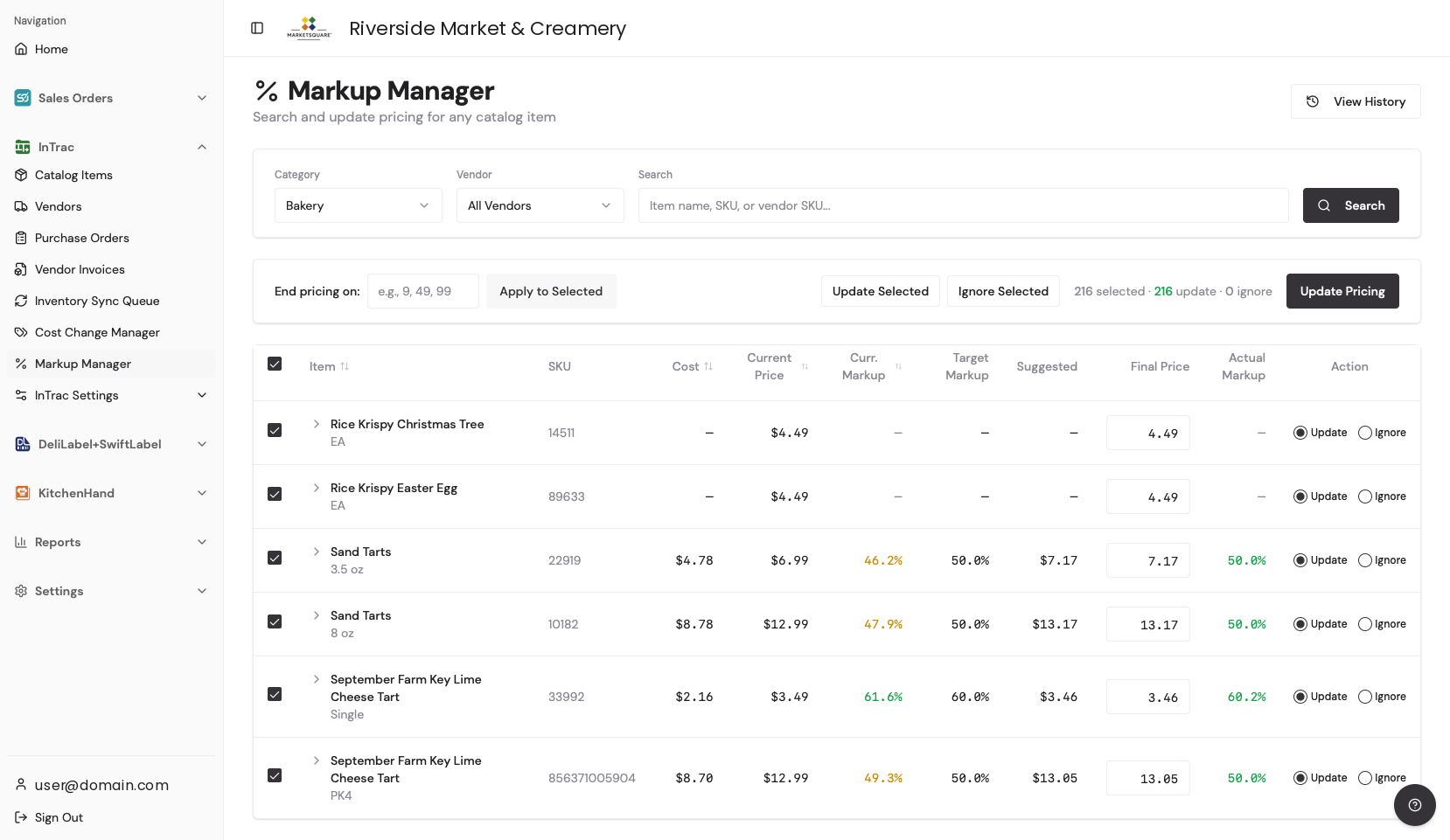
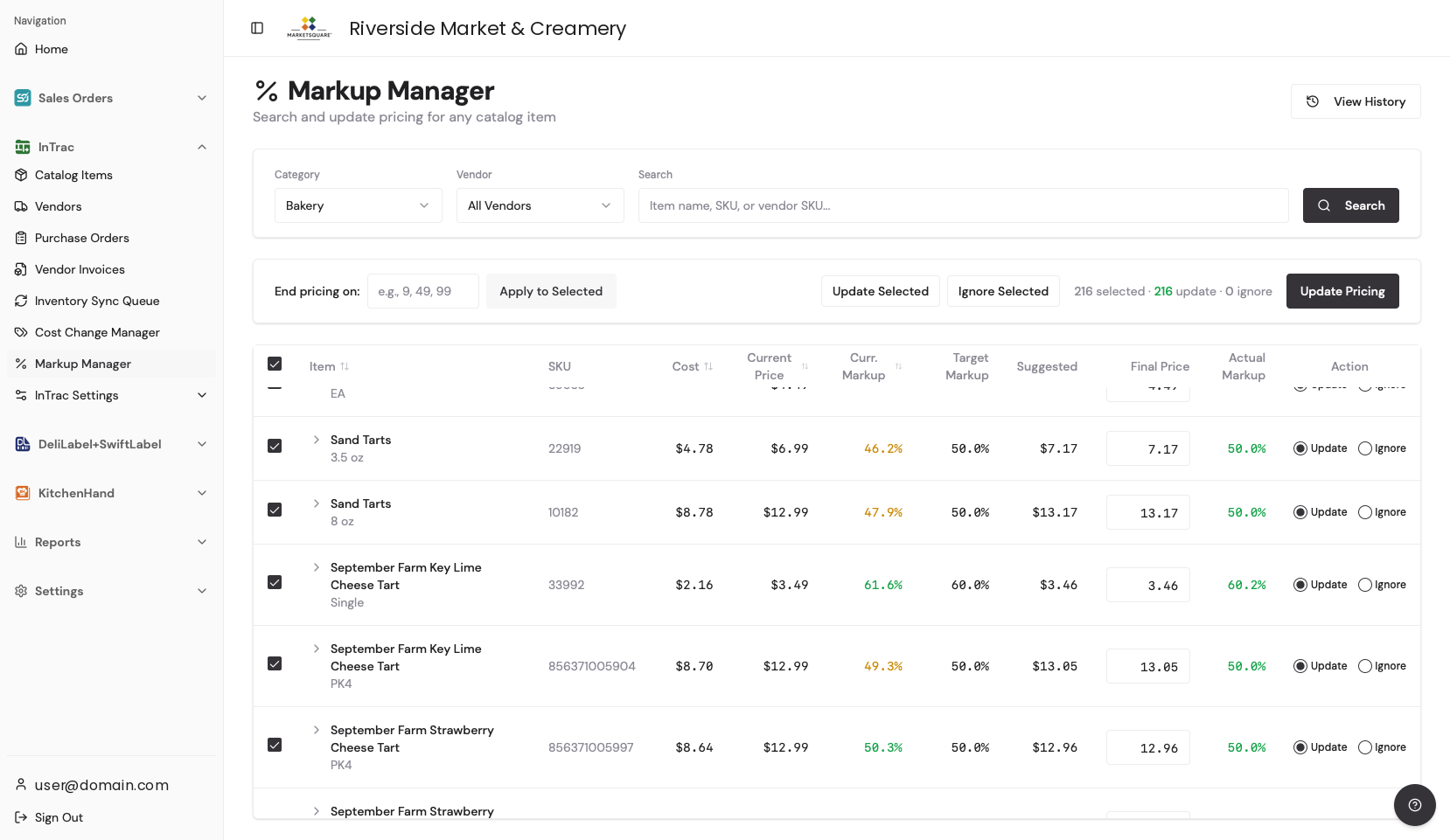
Filter to a category (and a vendor if you want to narrow further), or search for a single item. The grid then shows every item with its Cost, Current Price, current markup, target markup, a Suggested price and an editable Final Price.
Set the target — and the price ending On your computer
Set the target markup for the selection. Then, if you price on clean endings, type your ending into End pricing on (for example 9, 49, 99) and Apply to Selected — every suggested price rounds to it. Override any single line by typing in its Final Price, then commit with Update Pricing.
Review cost changes as invoices come in On your computer
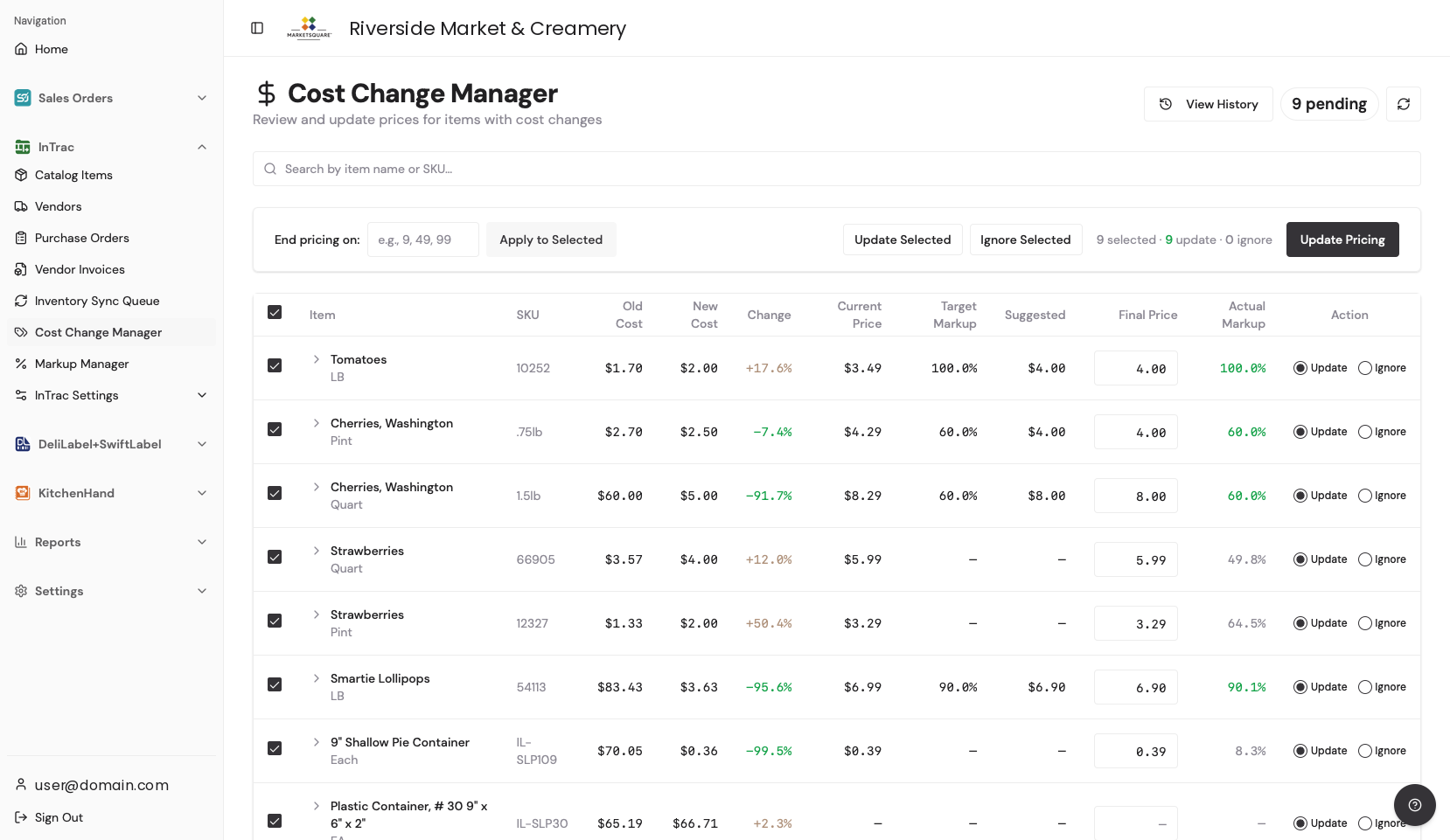
Every reconciled invoice feeds Cost Change Manager: old cost, new cost, the percentage change, your current price, the target markup and a suggested new price. Mark each row Update or Ignore — ignore is the right answer for a spike you intend to absorb — then Update Pricing. View History shows what you have already actioned.
Print shelf tags and sync to Square On your computer
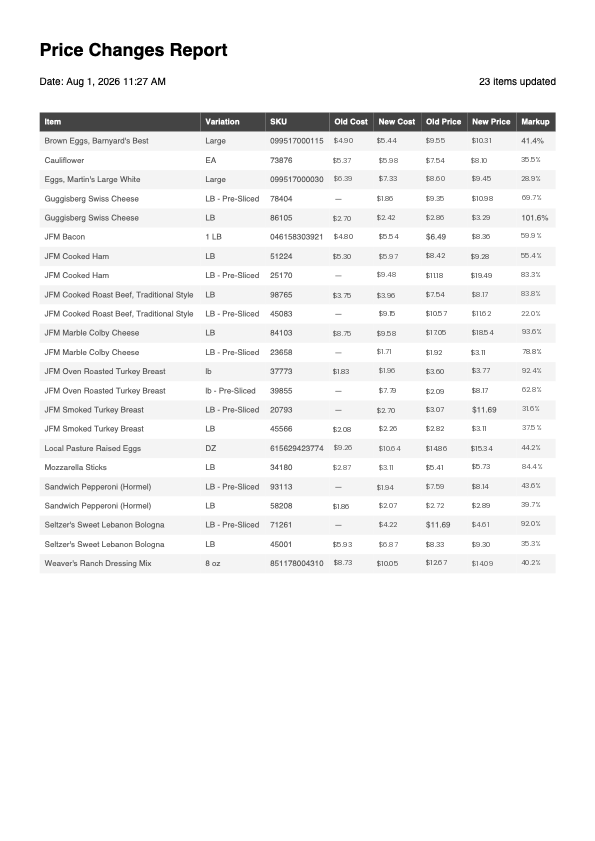
After updating, generate the price changes report for the items that moved — it lists each item with its old and new cost, old and new price and resulting markup, which is exactly what you need to reprint shelf tags. Pricing then syncs to Square automatically; no separate Square login.
Common questions
Where do the cost changes come from?
From your reconciled vendor invoices — real delivered costs, not estimates. Reconciling invoices is what makes this screen powerful.
Do accepted changes update Square automatically?
Yes. Updated prices flow through to Square, so your point of sale, your shelf tags and your costs stay in agreement.
Do employees have to work out margins?
No. Once the formulas are set, the pricing runs itself.