
 DeliLabel
Applies to: the current MarketSquare platform — mymst.app. Not applicable to the legacy V2 platform (beta.intrac.app).
 On your computer the web back office ·
 In the app phone, tablet or scale device
👉 Tap this press it in the app · Exact label look for this wording on screen
What this does
Tare is the weight of the container — and if it is not subtracted you are charging customers for plastic. It matters for anything sold by weight, from deli salads to bulk goods and hardware.  DeliLabel's Standard Containers let you set tare weights once on the backend, share them to every device automatically, and prompt staff to pick the right container at print time.
Where this happens: containers are set up once on a computer — there is no per-device setup — and used at the scale.
Set up your standard containers On your computer
Create your container list on the backend — deli cups, quarts, pie boxes — each with its measured tare weight. Weigh a real empty container on your scale to get the figure. Containers sync to every device automatically.
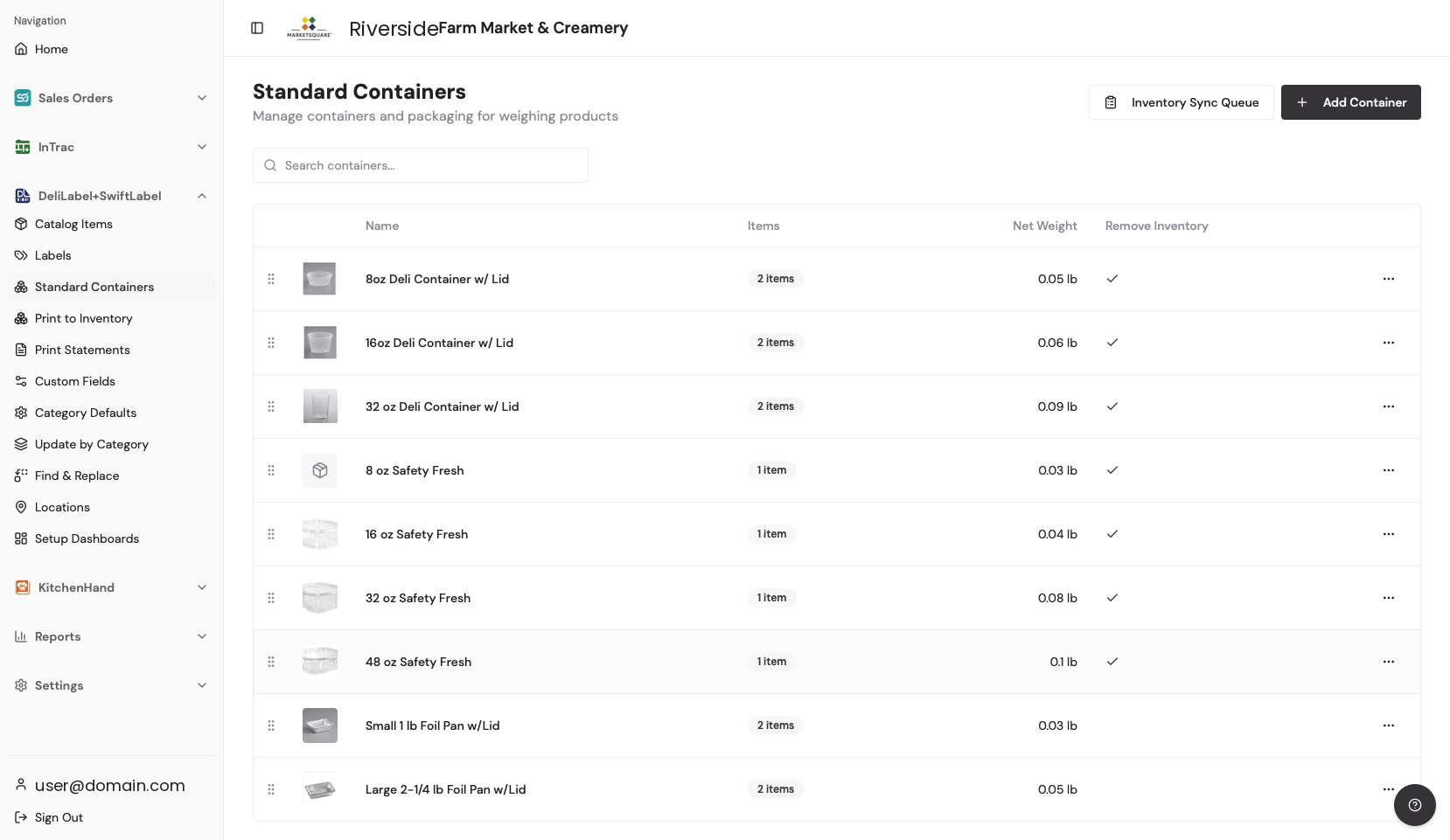
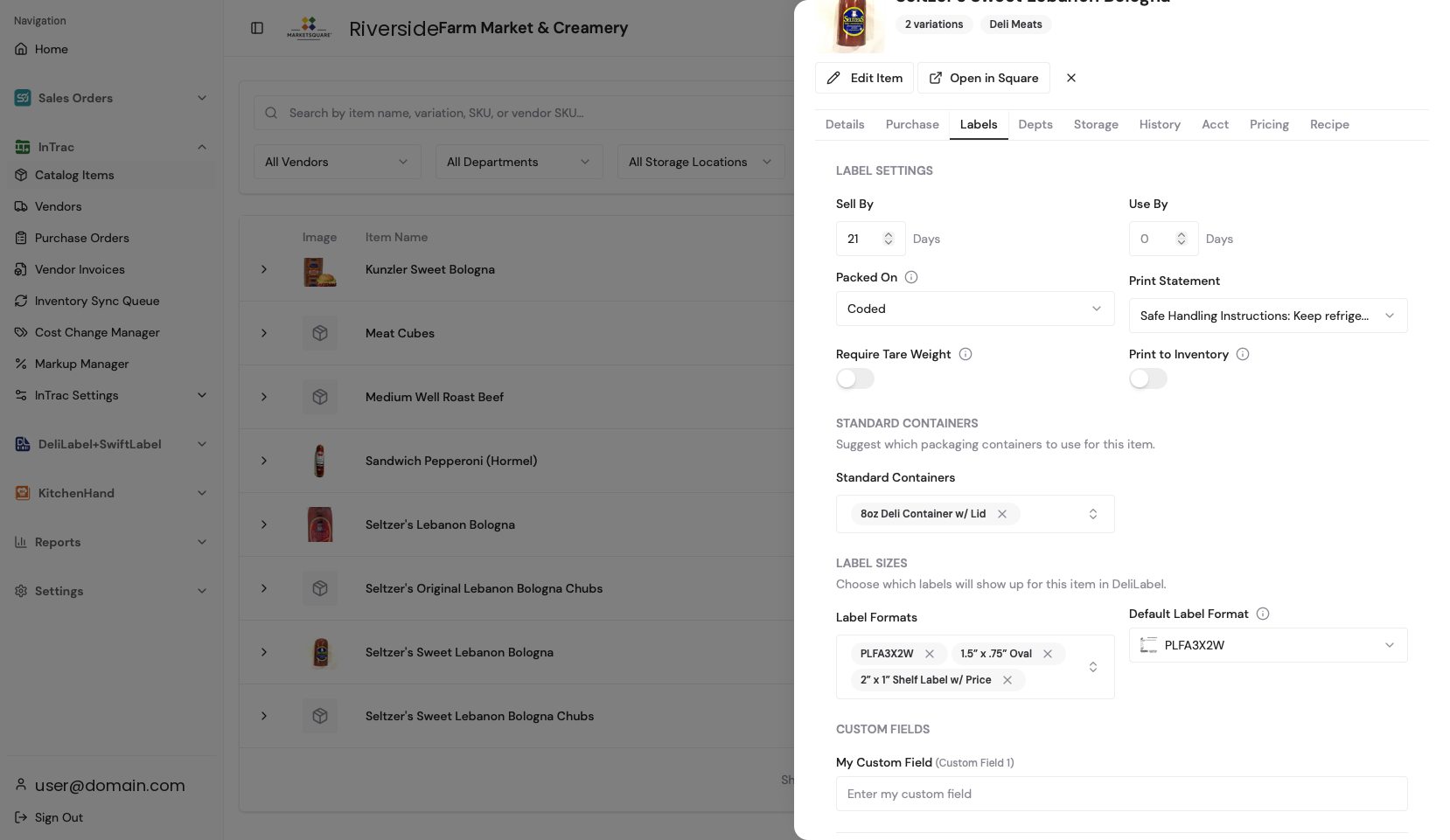
Assign containers to items On your computer
On the item's Labels tab, assign the container or containers that item is packed in. An item with one container tares automatically; an item with several will prompt staff to choose.
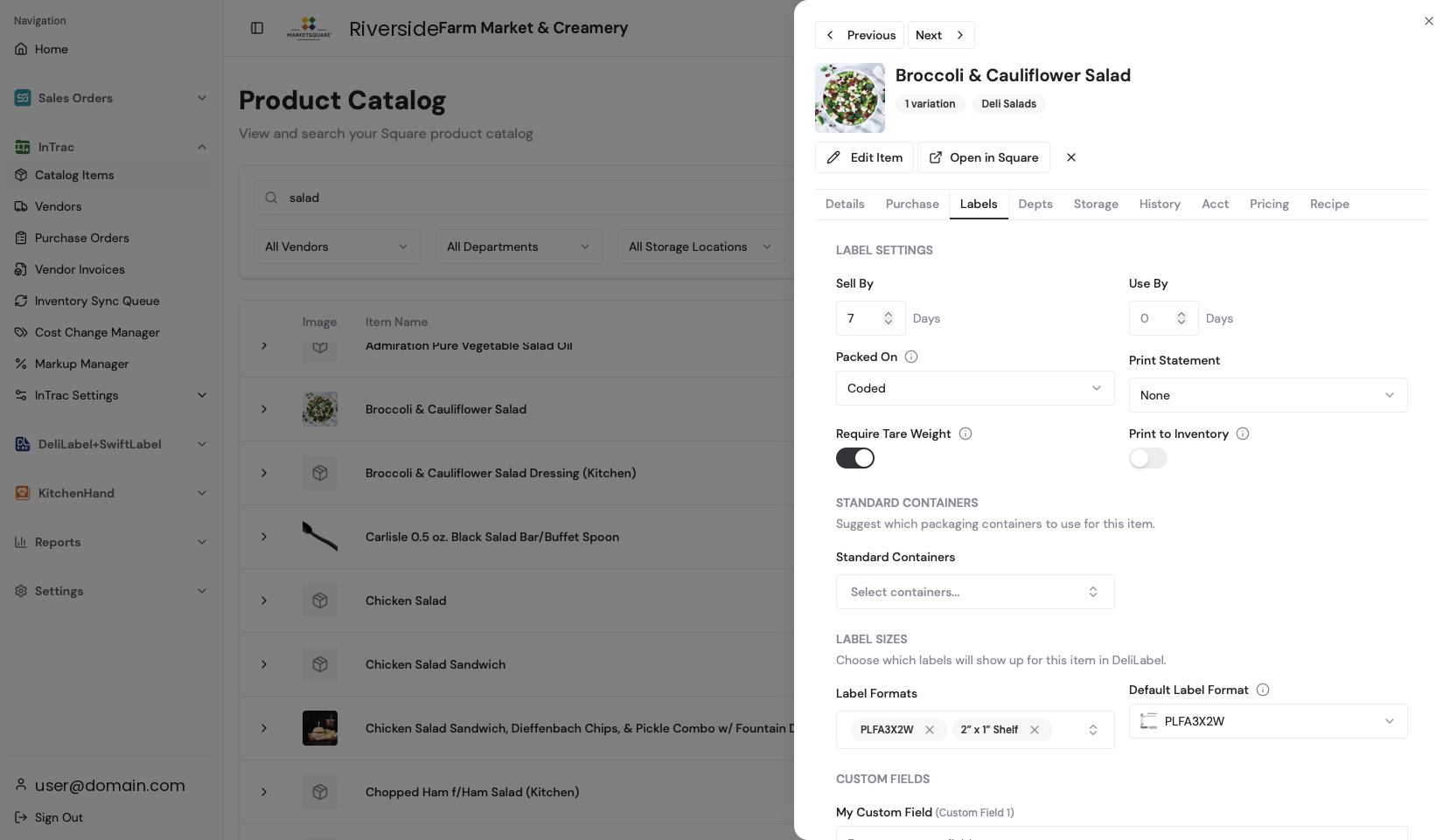
Require tare entry where it matters On your computer
For categories where skipping the tare would be costly, enable Tare Weight Required. The device will not print a weight label until a container is chosen or a tare entered.
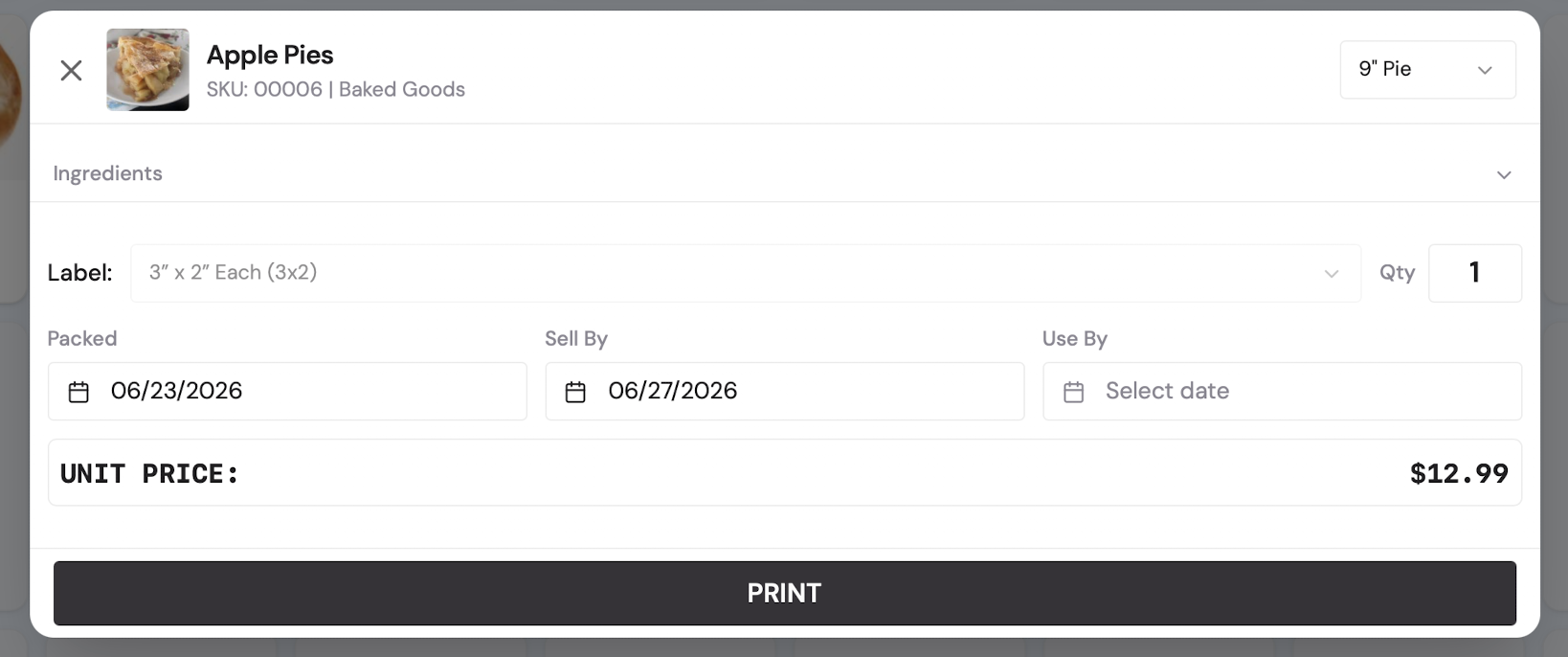
At the scale: pick the container, print In the app
Staff select the item, 👉 choose the container if more than one is assigned, the scale weight comes in, the tare is deducted, and the label prints with the correct net weight and price.
Common questions
We changed cup suppliers and the tare is different.
Update the container's tare weight once on the backend. Every device picks up the new figure automatically.
Can one item use different containers?
Yes. Assign several standard containers and staff choose the right one at print time.
What about odd containers we rarely use?
Staff can enter a manual tare for one-offs. If it keeps coming up, add it as a standard container.