
Important
This setup tutorial is for Bixolon models listed below purchased through
DeliLabel. Other Bixolon models or the same models purchased elsewhere may not
function correctly with DeliLabel.
-
XD5-43DEK (ethernet only)
-
XD5-43DDEWK (ethernet or Wi-Fi)
Getting Started
For Ethernet Models: Plug an ethernet cable from printer to your router
and the printer should be added to your network. You can open DeliLabel and proceed
to Adding a Printer in DeliLabel.
For WiFi Models
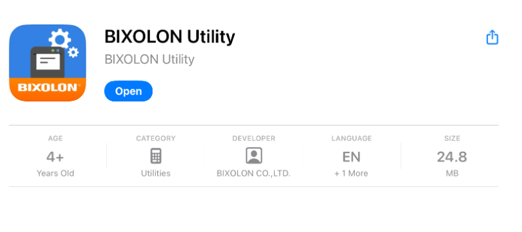
- Download the Bixolon Utility App at the Apple App Store.
-
Open the app and choose the Simple Wi-Fi Connect option.
- Hold the Feed button (the bottom button) on the printer for 5 seconds until the bottom
light begins blinking red. When you release the button, the top light will quickly blink
green. Once the top light starts blinking green more slowly, select Start in the Bixolon
app. - The app will ask for location permission and you can give it your preferred permission.
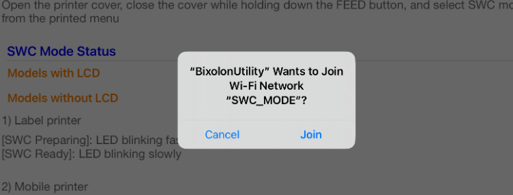
- You will be prompted to join the Wi-Fi network “SWC_MODE”. You should press Join here.
- Now you should see a list of available Wi-Fi networks. You need to select the network
that the iPad will be connected to while using DeliLabel. - On the next screen, enter your password for the selected Wi-Fi network.
- For users more familiar with their networks and with a range of static IP addresses, you can turn DHCP off under the Advanced Settings and assign an IP address to the printer.
- You can then tap Setup at the bottom and allow the printer to join your network.
-
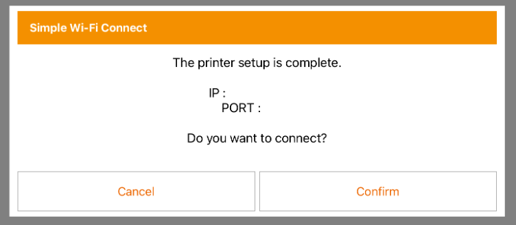
Once the iPad has been added to the network, you will see a popup like the one below,
but with the Port and IP filled in. At this point, the printer is added to your network and
you can tap Cancel.-
Selecting Confirm will connect to the printer in the Bixolon app and
allow you to change printer settings. However, the label length will be automatically set by the printer and the width will be set by the label you are printing, so this should not be necessary. Additionally, you can always return to the Bixolon Utility app later and change settings.
-
- Now you are ready to move over to DeliLabel and create a new print station there.